
No More Paid Advertising for Better Reach
Get discovered organically by Roblox talent and communities — no ad spend required.
Take a look around 👀
Here's a sneak peek at the Indeero pages you'll use — Roblox People Listings, Community Listings, the Roblox Careers page, and your Workspace Dashboard. (These are demo previews.)


Grow With Indeero
Build your profile, grow your community, and hire the best — all in one place.
Create your People Listing
Head to your My Listings page and click Create People Listing. Fill out the form with the details you want to showcase — your personal statement, Roblox & Discord usernames, current and previous experience, qualifications, and an optional CV.
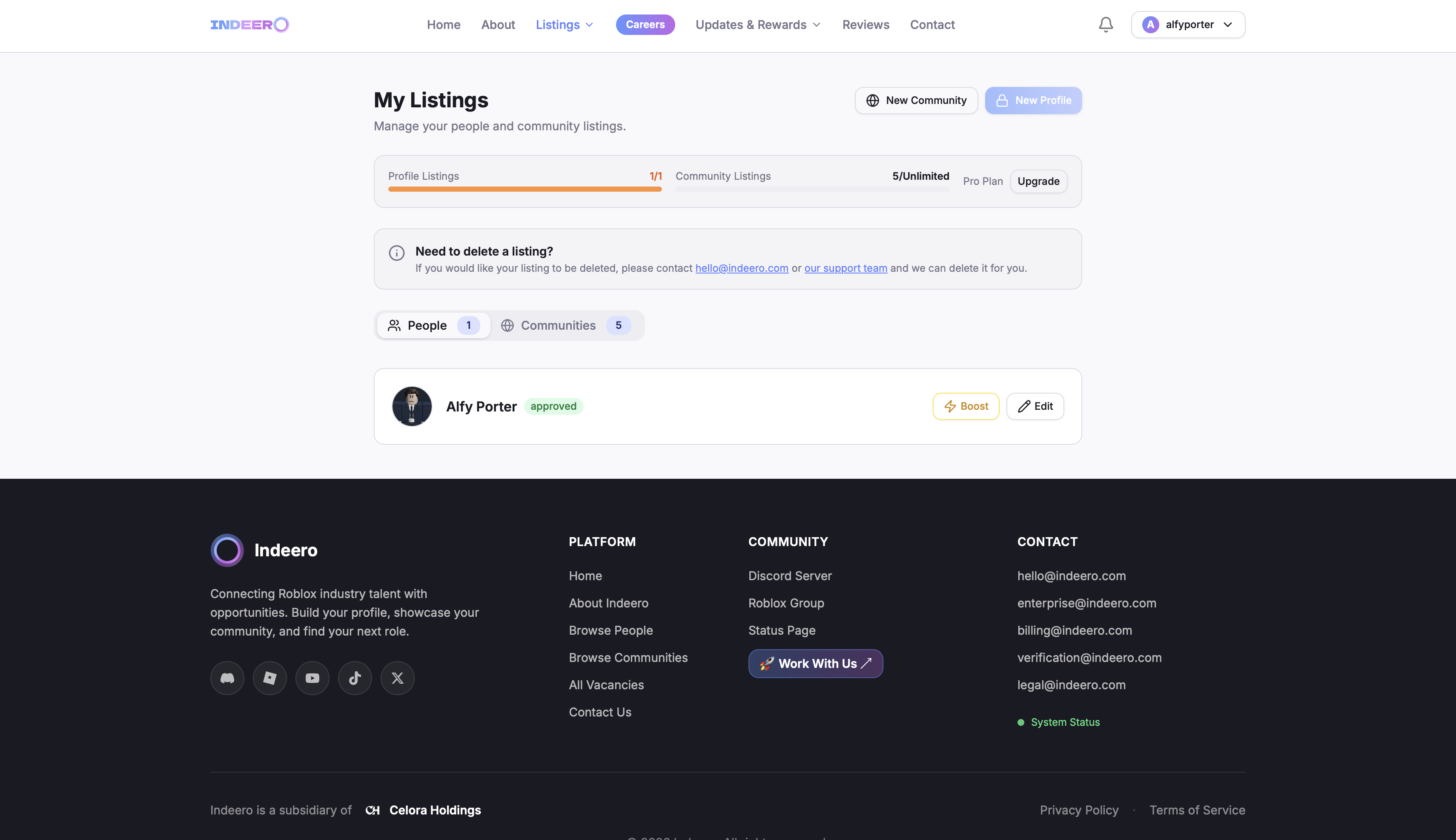
Once submitted, your listing goes through our review process (usually up to 72 hours) and then appears on the People Listings page for Roblox recruiters and employers to discover you.
Create a Community Listing
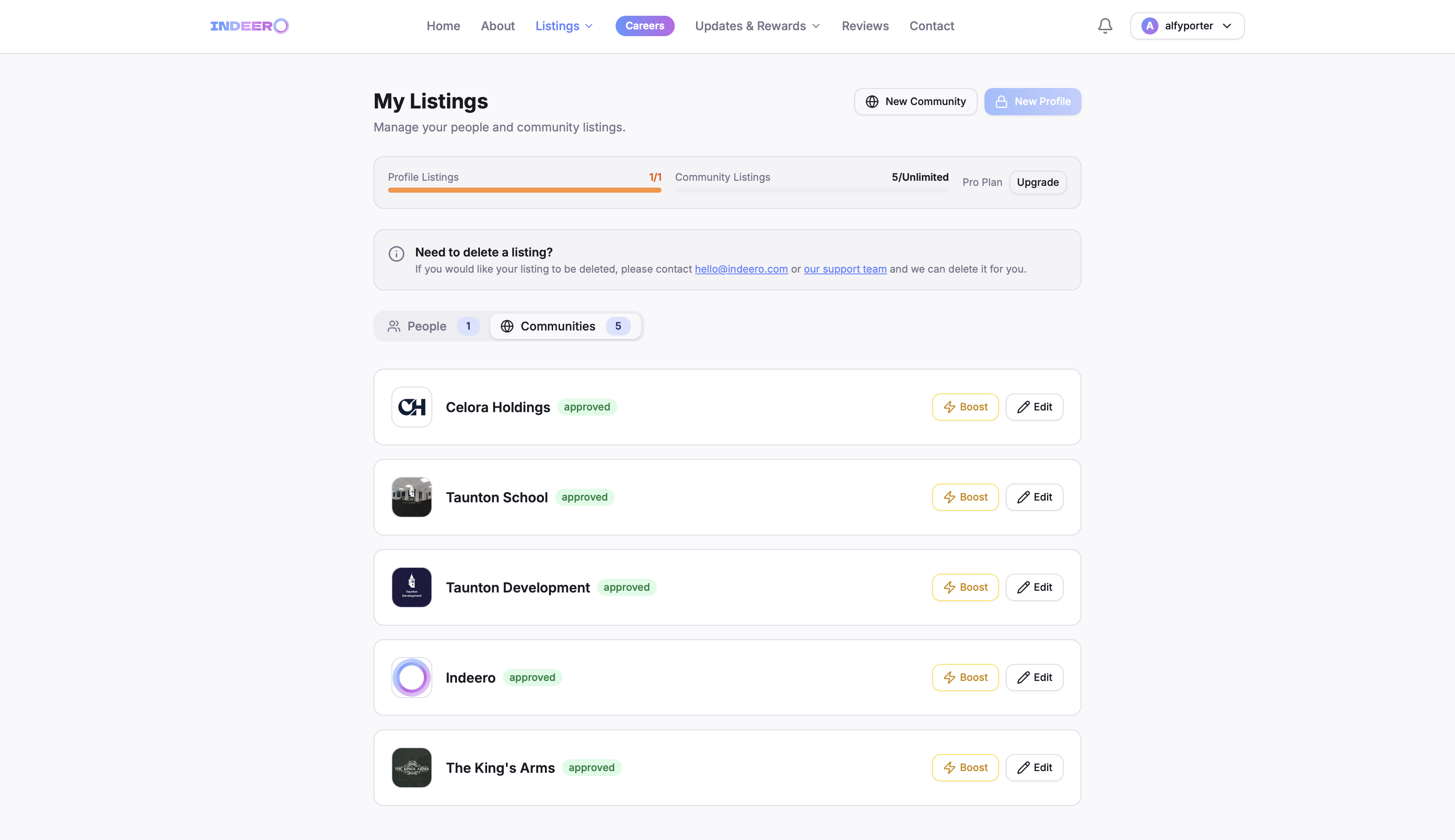
From the same My Listings page, click Create Community Listing and fill out your community's information — name, logo, industry type, about section, SSU times, Discord & Roblox group invite links, and your website.
Create a Workspace & start recruiting
Go to the Workspaces page and click Create Workspace. Fill out the short form (name, industry type, and the community listing it links to), then head into your Workspace Dashboard to configure everything — vacancies, application questions, staff roles, and more.
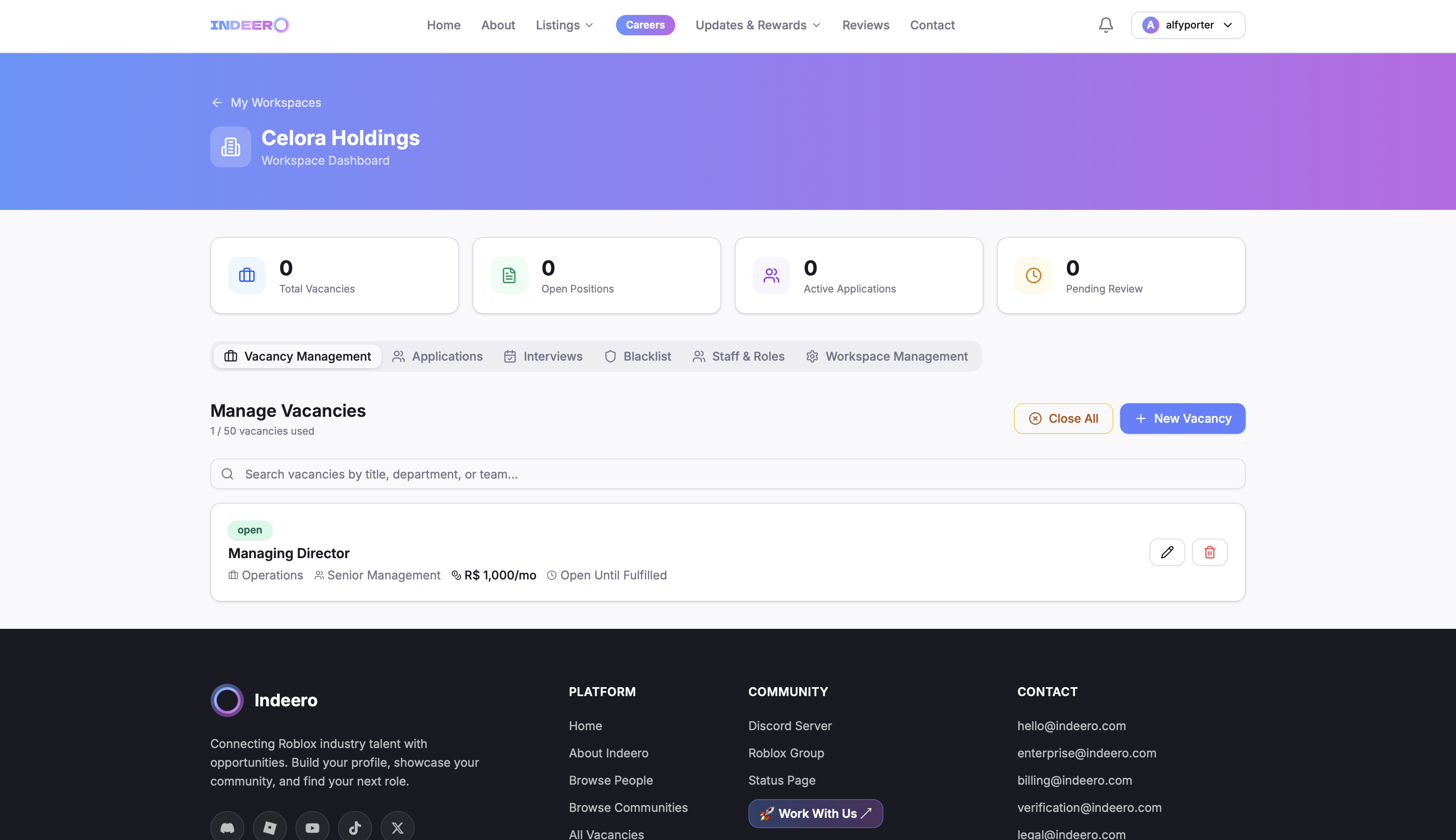
Any Roblox job vacancies you publish appear on the main Careers page, and applications come straight into your Staff Dashboard — no more Google Forms or Microsoft Forms.
Streamline Your Recruitment Process with Indeero
Manage vacancies, applications, interviews and results — all in one dedicated workspace.
Your Community Needs Indeero
Join hundreds of Roblox industry professionals, communities and employers already growing with us.